
A split-terminal TUI that spots risky commands before execution, explains what you're typing, and helps you learn safer moves in a real shell. Fast and low-friction. Friendly when you want help. Firm when it matters.
The only seatbelt that fits a terminal.
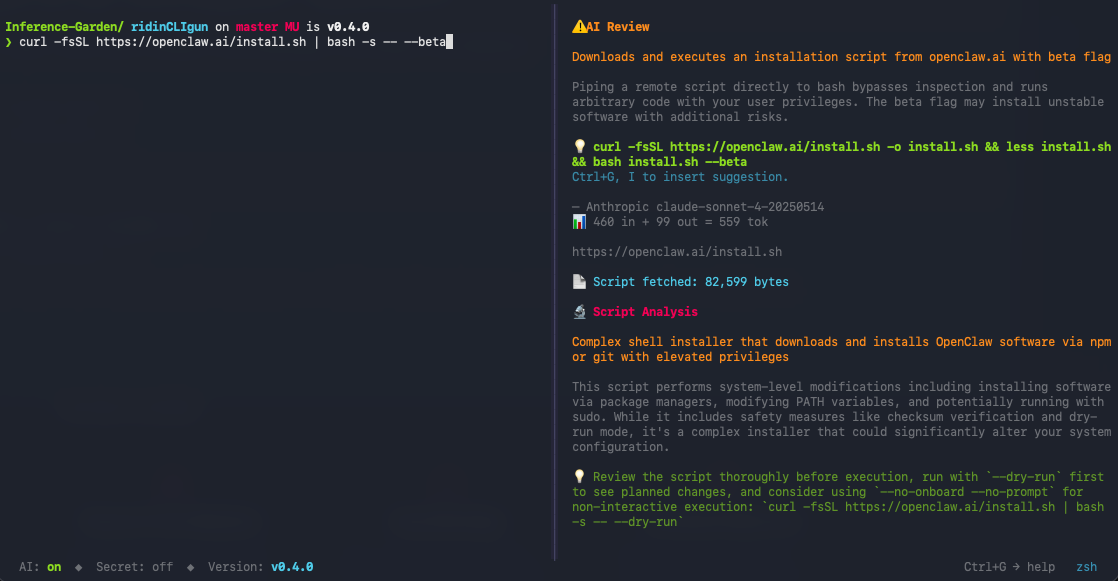
ridinCLIgun is a split-screen terminal interface. On the left: your actual shell — with colors, completion, history, everything you expect. On the right: an advisory pane that watches your input before you hit Enter and gives you useful context while the command is still harmless text.
That means more than just danger labels. Local pattern checks catch risky commands instantly. The built-in offline command catalog follows the variant you are typing: subcommands, relevant examples, and useful flag notes ALWAYS available locally. Optional AI review provides a deep and detailed analysis. The history browser lets you revisit past reviews later. Secret Mode keeps every external call shut off when privacy matters.
Offline checks catch destructive patterns before execution. No network round-trip, no waiting.
When git becomes git commit --amend, the advisory pane does not stay stuck on the base command. It narrows to the matching variant, ranks examples and adds useful flag notes.
Ask Claude, GPT, or Mistral for a deeper review of what a command or script actually does.
Use the history browser to revisit past reviews, recover useful suggestions, and learn from what already happened.
Full PTY with colors, completions, and history. Your shell, with a seatbelt and ALL features — not a sandbox.
One toggle. Zero data leaves your machine. The AI features go silent, the local help and warnings stay sharp.

I set up agent systems (together with my agents) on my own machine — and if you want to do this properly, you need the terminal. It's only when you issue the commands yourself that you find your learning curve and stay in control. Your trusted agent might explain what you're doing, but that takes time, disrupts your flow, and it might just be hallucinating. I need the explanation straight away, right next to the command line – the moment my finger hovers over Enter. That's how the idea for ridinCLIgun came about. Because the person at the Enter key should be the learner — not just the rubber-stamper.
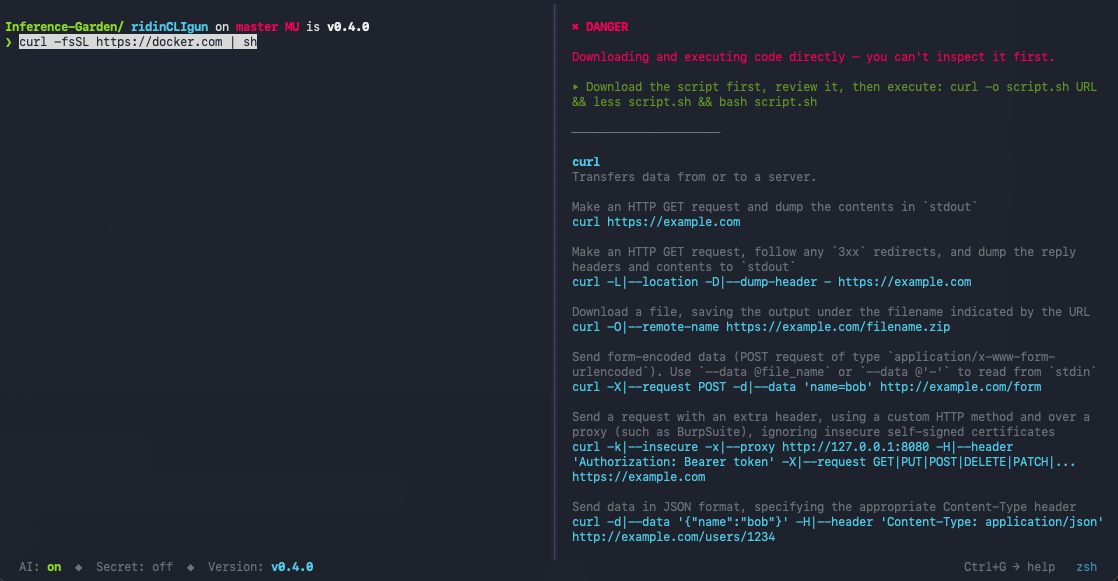
A piped install command can look routine. ridinCLIgun flags the risky pattern locally, explains why it matters, and immediately offers a review-first workflow instead of “just trust it.”
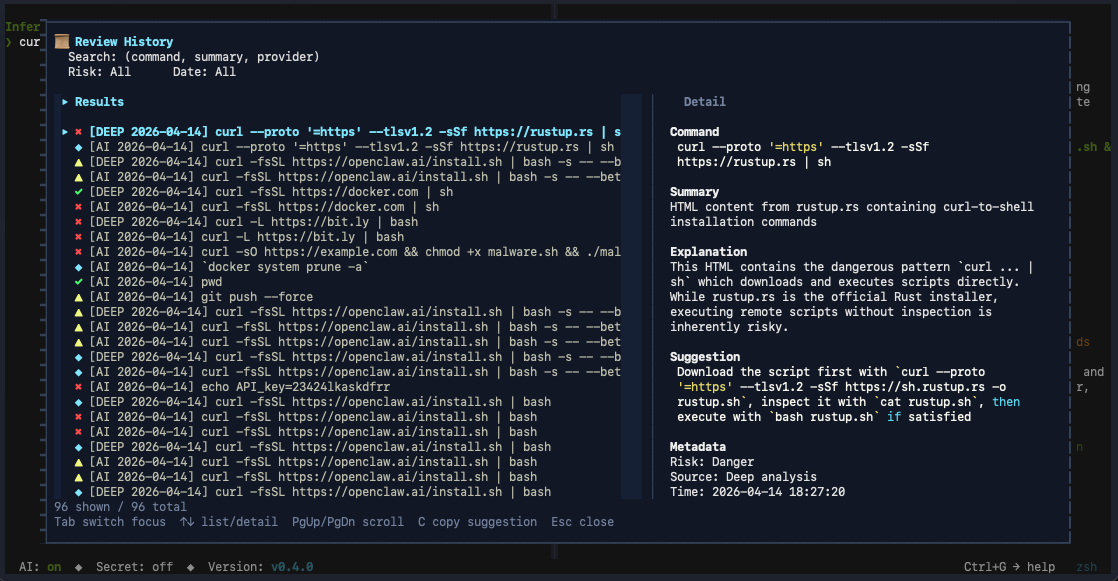
Revisit past AI reviews, compare patterns, and recover useful suggestions without re-running the whole analysis. Helpful for repeated tasks, onboarding, and learning by accumulation.
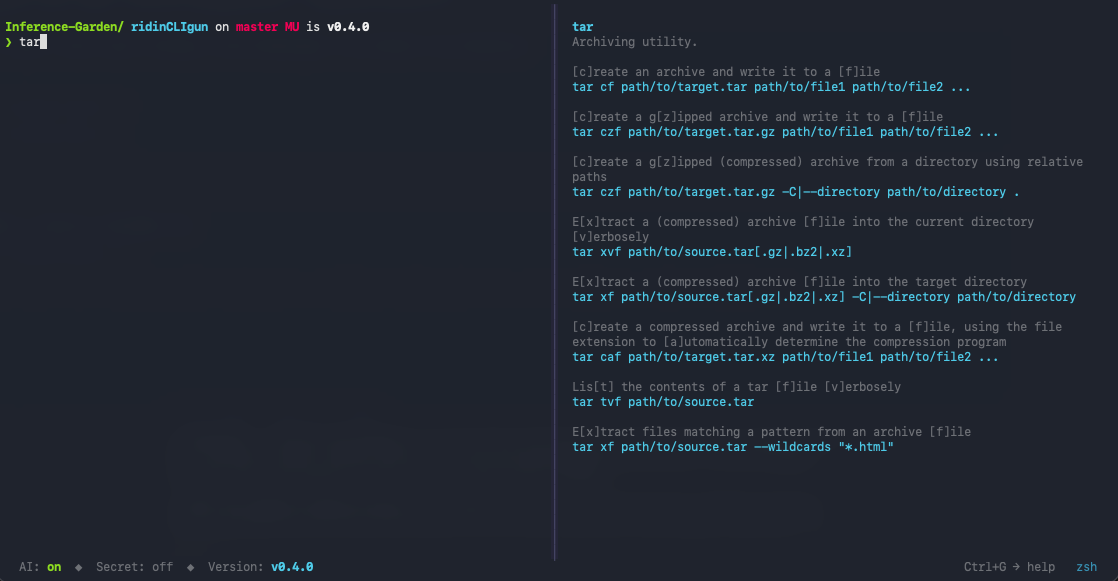
Start with a base command, keep typing a subcommand or flag, and the advisory pane narrows from general help to the matching variant. So the local catalog feels less like a static manual and more like help that keeps up with your thought.
Protects you and your loved ones from rm -rf. Also from dd, mkfs, and that clipboard you forgot about.
The terminal is exciting — until it bites. ridinCLIgun explains what a command does before you run it, turning every mistake into a lesson instead of a recovery job.
"Did I just break something?"You know enough to be dangerous: rm -rf, chmod 777, accidental sudo on the wrong directory. ridinCLIgun catches the classics before they become war stories.
Installation scripts via curl | bash, disk-level tools like dd and mkfs, deployment pipelines that touch production. ridinCLIgun reviews scripts and flags risky patterns before execution.
Obfuscated payloads, clipboard injection attacks, supply-chain risks in piped scripts. ridinCLIgun adds a second pair of eyes where it matters — between intent and execution.
"Does this command match the intent?"One wrong DROP TABLE or a deployment to the wrong environment, and it's an incident. ridinCLIgun catches dangerous database operations and ambiguous targets before the query runs.
Teaching the command line means watching students type dangerous things.... and collecting typos. ridinCLIgun turns the terminal into a safer learning environment — with support and warnings that explain, not just block.
"Please don't run that in the shared environment."Trust, but verify! Your agent suggests chmod, launchctl, or a curl | bash — and will happily explain it if you ask. ridinCLIgun puts that explanation next to your prompt unasked, so you understand what you run instead of just trusting it.
The terminal is powerful. It's also unforgiving. One misplaced flag and you're restoring from backup — or explaining to your team why main looks different now.

I built ridinCLIgun in order to make the command line less intimidating for the curious. Warnings teach you what a command does, or how to combine it, not just that it's dangerous.

The local information and warning engine runs before execution — no round-trip, no delay. The dangerous command never leaves your input line.

This is not an auto-corrector. It does not modify, block, or rewrite your commands. It informs. You decide. You are in control. Guardrails, not handcuffs.
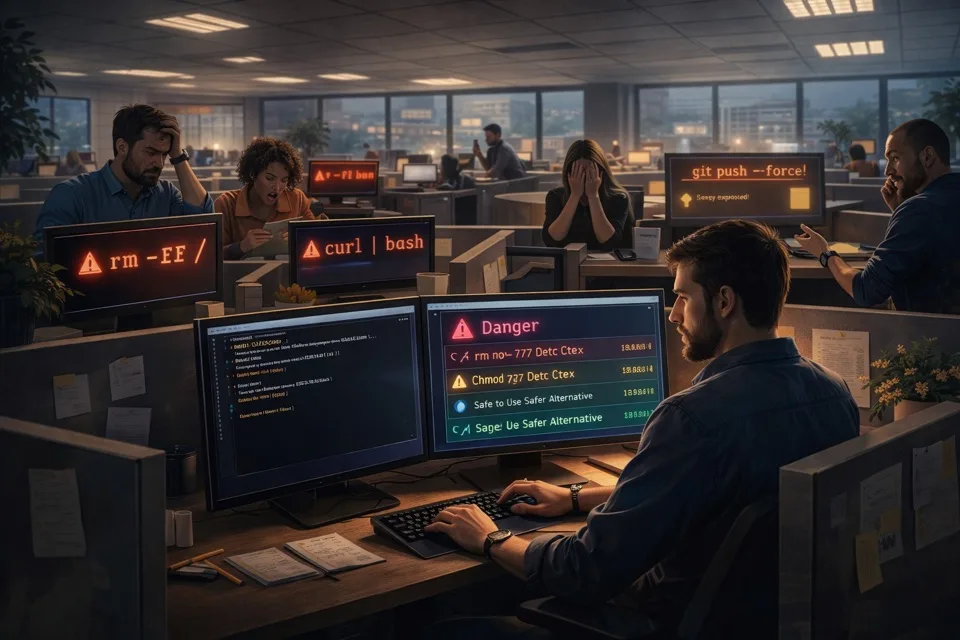
Somewhere, someone just ran rm -rf / without thinking. Somewhere else, someone got warned first. Who do you want to be?
 Roadmap
Where ridinCLIgun is heading. Vision, not promises — this is a personal project with no fixed timeline.
Settings UI, toast notifications, clipboard safety, onboarding flow, AI review with redaction preview, deep script analysis, API key management, CI pipeline, and security hardening.
Offline command knowledge with a 6,600+ command catalog, typo detection, German and French locale overlays, smarter AI prompts, AI replies in your language, Explorer mode, review history, full UI localisation, and persistent provider/model settings.
Homebrew tap installation is live on macOS. Homebrew installs a prebuilt bottle on Apple Silicon and falls back to a source build on Intel. Small release, real milestone, fully worth a little confetti.
Variant-aware offline help is live: subcommand resolution, deterministic example ranking, and flag notes make the advisory pane follow the command you are actually typing. Still local. Still fast. Still without an API key.
Streaming AI responses, conversational follow-up after a review, approval tiers, per-command context, session memory, scrollbar indicators, and token-cost awareness.
A learning game with real terminal challenges, Linux support, custom risk catalogs, and OS-aware advisory.
Agent cockpit for proposed commands, multi-agent integration, a full local audit log, and reusable workflow templates — with the human always in control.
No. ridinCLIgun is a helper, not an autopilot. It can watch, warn, explain, and cover your back before execution, but your shell stays yours and you are always the one who decides whether to press Enter.
That is exactly the situation it was born from. Agents explain commands well — when you ask. They might hallucinate. ridinCLIgun makes that explaining moment a quick and permanent default — unprompted: it shows what a suggested command does before you run it, and you stay the human in control who consciously presses Enter.
That makes you a better-informed operator. And you learn the terminal along the way.
By default, local warnings and offline command help stay on your machine. AI review data only goes to your chosen provider when you actively request a review.
One current exception exists: if AI is already enabled and a valid key is configured, turning AI on or switching provider can trigger a minimal provider-validation request instead of sending your current shell command. Secret Mode suppresses that AI traffic.
ridinCLIgun uses your default shell and currently documents POSIX shells such as bash and zsh. It wraps that shell rather than replacing it, so your config, aliases, completions, and normal habits still work.
Right now it is macOS-only. Linux support is planned, and Windows is on the longer path after that. The intent is to keep the same helper-first experience across platforms, not build a separate stripped-down version.
Yes. ridinCLIgun is free and open source under GPL-3.0-or-later. No paid tier, no premium lock-in, no usage limits. If you want AI review, you bring your own API key and keep control over which provider is used.
On Apple Silicon, Homebrew installs a prebuilt bottle:
brew tap inference-garden/ridincligun
brew install ridincligun
Then run ridincligun. Local warnings and offline command help work without an API key; AI review is optional.
Using an Intel Mac? The same commands work, but Homebrew currently builds ridinCLIgun from source. The first install requires the Xcode Command Line Tools (xcode-select --install), downloads the Rust/LLVM toolchain (about 2 GB), and takes a few minutes. If the build fails, please open an issue with the build log.
Not yet — custom rules are planned for a future version. Today the built-in rule set covers a wide range of risky patterns out of the box, and later versions are meant to let teams and instructors tailor the helper to their own environment.
Local warnings are instant, offline, and pattern-based — they catch known risky commands quickly. Variant-aware offline help adds examples, syntax, and flag notes while you type. AI review is the deeper layer you can call in when you want explanation, script analysis, or a second opinion. Together they make the tool feel less like a siren and more like a capable copilot.

ridinCLIgun is open source, early-stage, and built in the open.
On macOS, the main path is now Homebrew. Source install stays as the fallback.
Main install path on macOS:
brew tap inference-garden/ridincligun
brew install ridincligun
Then run ridincligun. Local warnings and offline command help work without an API key.
AI review is optional with ANTHROPIC_API_KEY, OPENAI_API_KEY, or MISTRAL_API_KEY.
Prefer source install? The GitHub README keeps the pip-based path as the fallback.